 cache.lat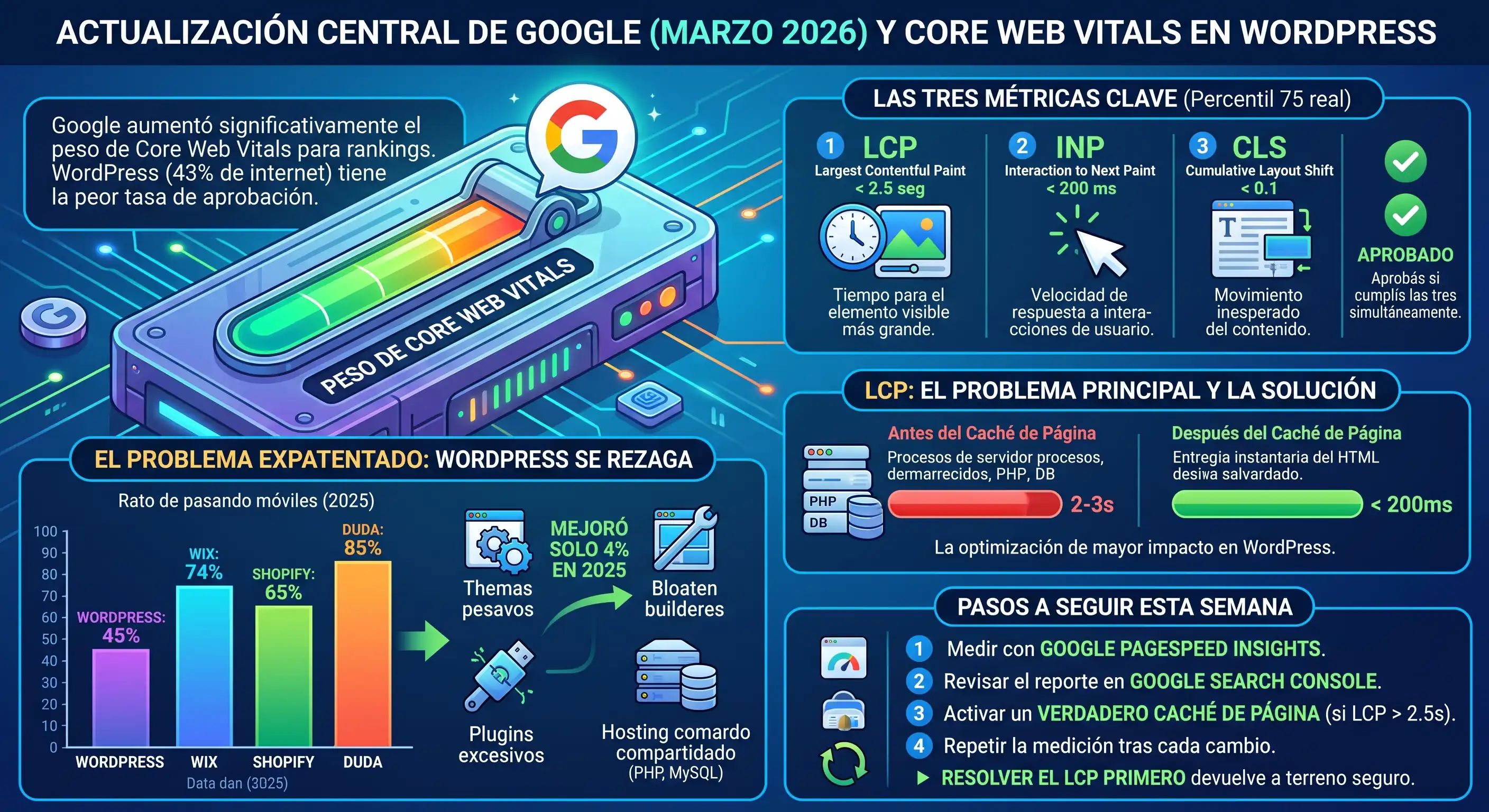
On March 24, 2026, Google began rolling out a core algorithm update. By the time most site owners noticed, their rankings had already changed. They didn't touch a line of code. They didn't update any plugin. They didn't change themes. Google simply increased the weight of Core Web Vitals as a ranking signal — and WordPress, which powers around 43% of the entire internet, has the worst pass rate of any major platform.
The problem already existed, it just weighs more now
According to HTTP Archive's Web Almanac 2025, only 45% of WordPress sites on mobile achieve a "good" score in Core Web Vitals. Compare that to Wix (74%), Shopify (65%), or Duda (85%). WordPress isn't close to that race — it's losing by a wide margin, and it improved only 4 percentage points throughout 2025. At that pace, it will take almost a decade to reach where Wix is today.
The causes are well known: heavy themes, visual builders that generate bloated HTML, dozens of plugins injecting their own JavaScript and CSS, and cheap shared hosting with slow server response times. None of this is new. What's new is that Google now weighs it much more heavily when deciding your position.
The three metrics that define whether you pass or not
- LCP (Largest Contentful Paint): must be under 2.5 seconds. It measures how long it takes for the largest visible element on your page to appear.
- INP (Interaction to Next Paint): must be under 200 milliseconds. It replaced FID in 2024 and measures how quickly your site responds when someone interacts with it.
- CLS (Cumulative Layout Shift): must be under 0.1. It measures how much your content shifts unexpectedly while loading.
Google evaluates these three at the 75th percentile of your real visitors, not in an isolated lab test. You pass only if you meet all three at the same time.
Why LCP is where the problem shows up fastest
Of the three metrics, LCP is the one that most directly depends on how quickly your server responds before the browser even starts to draw anything. If your WordPress takes 2-3 seconds just to generate the HTML for each visit (running PHP, querying the database, building the page from scratch each time), you've already lost the margin before the first image loads.
This is where page caching makes the biggest difference of any single optimization: it reduces the time to first response from 2-3 seconds to under 200 milliseconds, according to several updated 2026 technical guides. It's not a marginal improvement — it's the highest-impact optimization that exists for WordPress on shared hosting.
What you can do this week
- Run your site through Google PageSpeed Insights and note your three current numbers — you need a baseline before changing anything.
- Check the Core Web Vitals report in Google Search Console — it shows you which specific URLs are failing, with real data from your visitors.
- If your LCP is above 2.5s, start there: enable real page caching (HTML already generated, without running WordPress on every visit) before touching images or JavaScript.
- Repeat the measurement after each change — a single optimization session isn't enough, this is a discipline, not a one-time event.
None of this is mysterious or requires a full-time developer. The most common cause of a high LCP on shared hosting remains the same as always: the server takes time to respond because WordPress runs entirely on every visit. Solving that first is what fastest gets you back to safe ground before the next Google update raises the bar again.